Map
The Map page contains the main features and workflows related to RemotaSafe, providing core georeferencing resources associated with Devices, Emergencies, Geofences, Indoor Systems, Routes, and more. The use of these resources can also be controlled by configuring and defining Security settings.
How to access?
You can access the "Map" page through the top navigation bar:
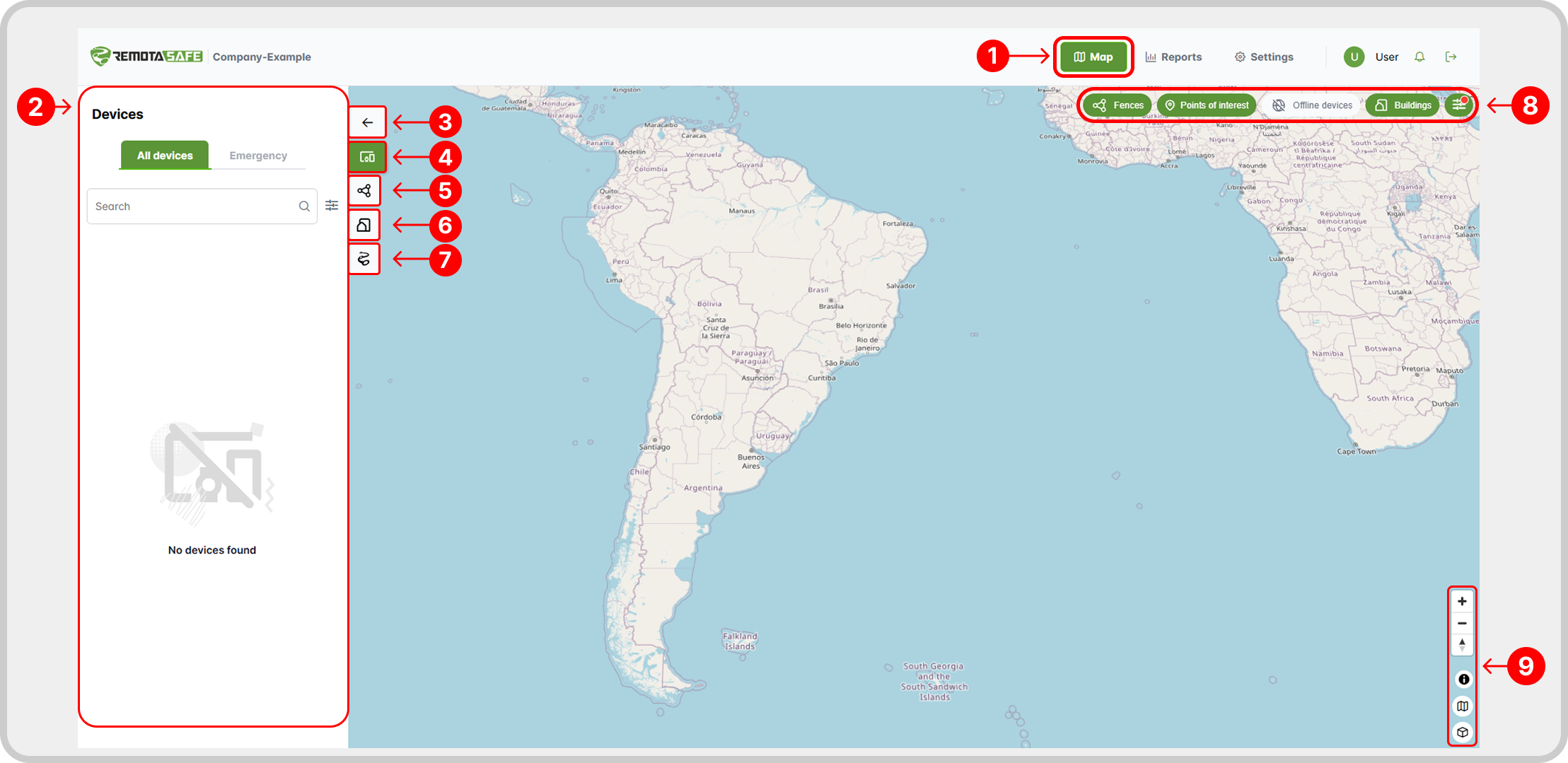
- Navigation to the Map page.
- Tab configuration environment: Each tab has its own configuration environment, where you can view and use the specific resources of the selected tab.
- Expand or collapse the configuration environment of the selected tab.
- Devices tab.
- Geofences tab.
- Indoor System tab.
- Routes tab.
- Filters.
- Selection of the desired Map Provider.
Within this category (Map), you can find more information about each specific configuration environment.
Filters
On the map page, there are two independent sets of filters:
- Map filters (top right): control what is displayed directly on the map.
- Side tab filters: vary depending on the selected side tab (devices, geofences and points of interest, etc).
This independence allows for simultaneous combinations, such as filtering only online devices in the “Devices” tab while displaying only those with low battery on the map, offering more flexibility to the user.
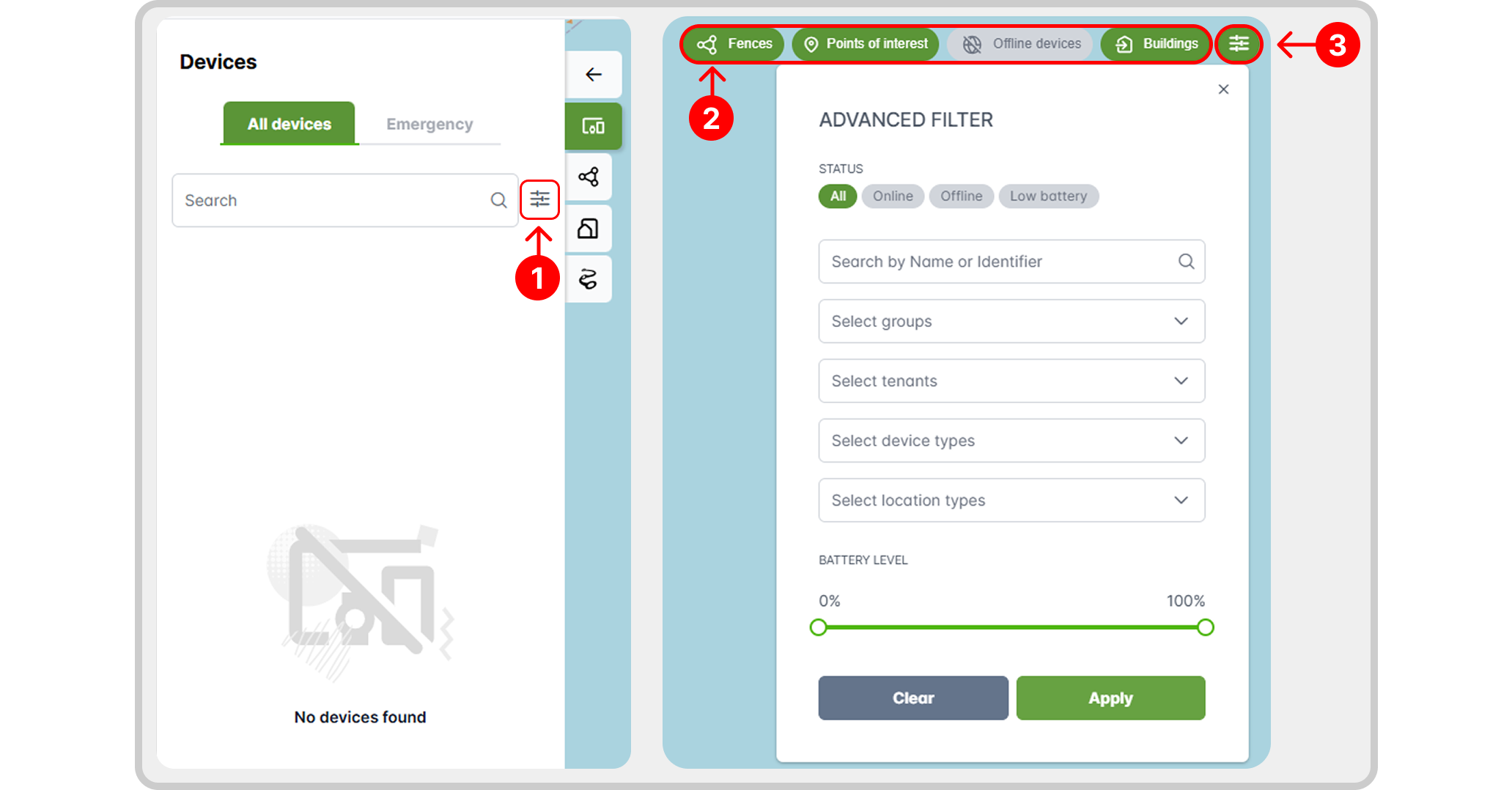
- Advanced filters from the selected side tab.
- Quick map view selectors.
- Advanced map filtering.
Subtopics
📄️ Devices
The Map page provides various features related to devices, including direct map interaction, advanced searching, location status, emergencies, and more. Learn more about these tools in the following sections.
📄️ Geofences and Points of Interest
RemotaSafe allows you to create, edit, delete, and view "Geofences and Points of Interest (POIs)" directly on the map. The availability and use of these features can be managed through Security permissions.
📄️ Indoor System
The Indoor System is a RemotaSafe feature that enables tracking and location management within buildings by creating structures for Buildings, Layers, and Beacons. Access to this system can be managed through Security settings.
📄️ Routes
The Routes system is a feature that allows you to visualize the movement history of a registered device based on location data recorded over time in RemotaSafe. In addition, RemotaSafe provides tools for navigating route records, generating reports, and more.