Settings
The Settings page allows you to manage system contexts, view historical data, and more. This section provides guidance on configuring different contexts and their related resources.
Manage access to settings and various features available through Security.
How to Access
- Depending on your permissions, you can access this page via: Top Navigation Bar > Settings.
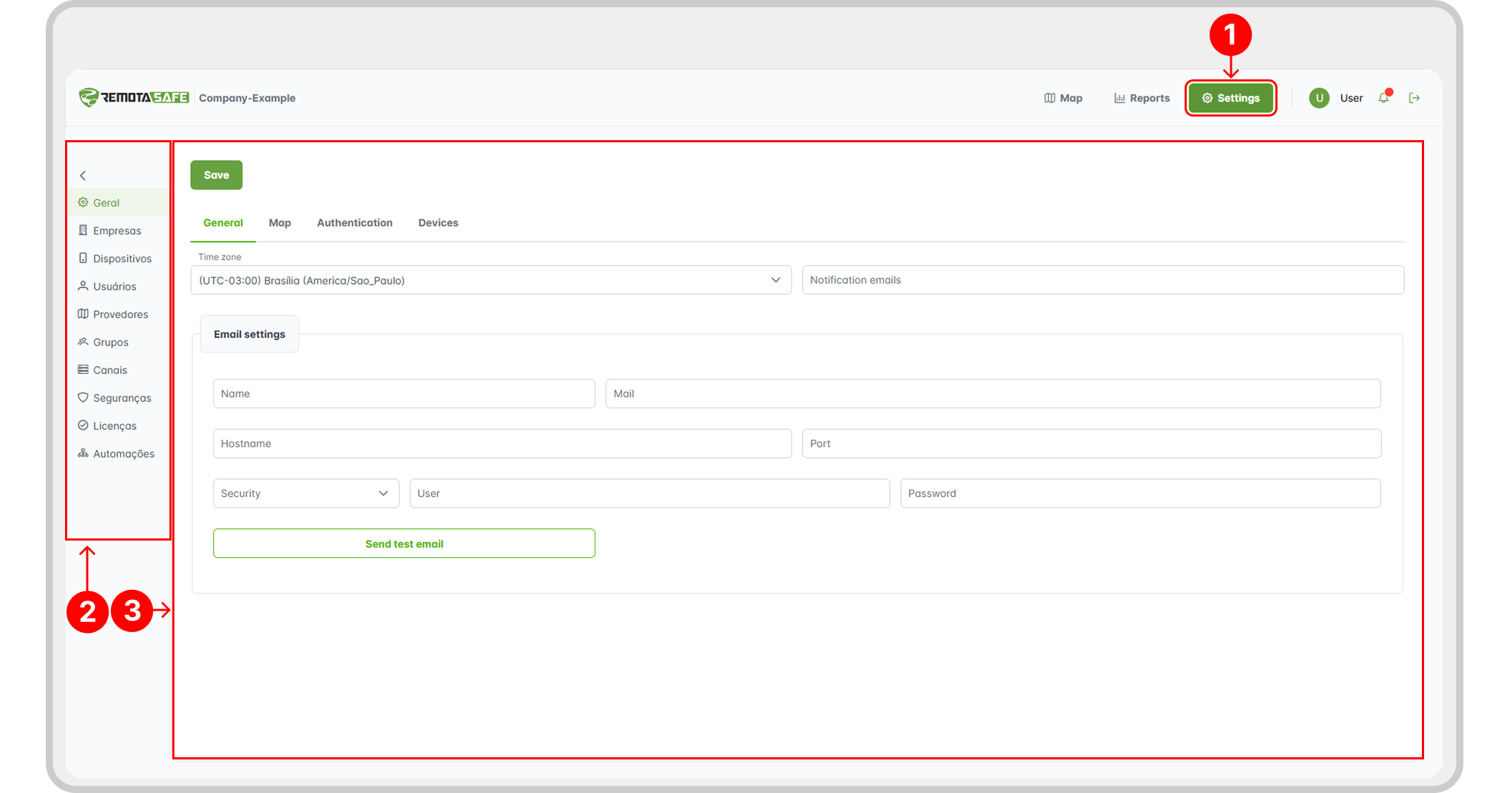
- Sidebar navigation through available contexts.
- General settings environment.
Setting Environment
Selecting a specific context will open its configuration environment, as shown in the figure below:
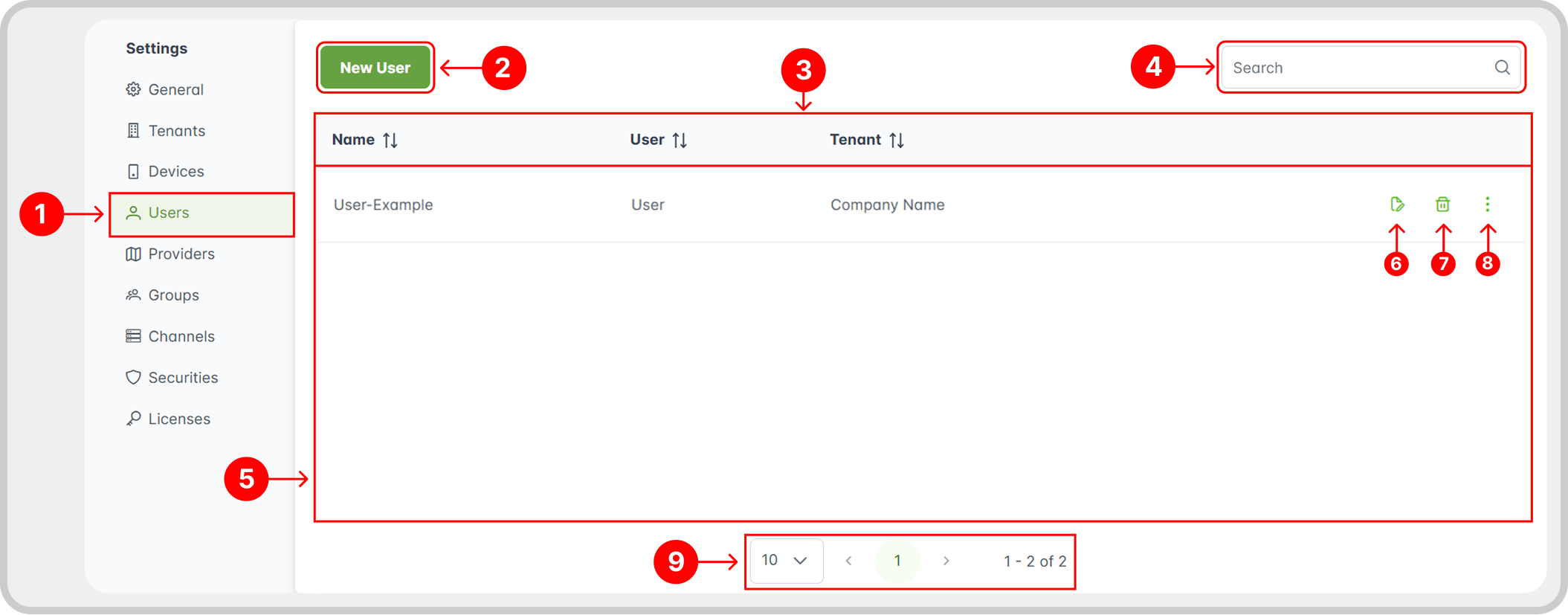
- Selected context (e.g., Users).
- Add a new record within the selected context;
- Record properties and sorting;
- Search for records;
- Records table;
- Edit record;
- Delete record;
- Actions;
- Table pagination;
Contexts
🗃️ Operation Patterns
2 items
🗃️ General Company Settings
4 items
📄️ Companies
The Companies context allows for the creation of subsidiaries, which can share license data from the parent company, enabling better control and organizational usage. Additionally, companies can be used as filters in various searches.
📄️ Devices
RemotaSafe allows you to register and manage Devices for information exchange, which can be associated with ID badges, radios, vehicles, and more. These records ensure controlled, traceable, and secure communication between devices and the central system.
📄️ Users
Creating Users allows individuals to connect to and use RemotaSafe, with access controls defined individually through security settings. User data can also be used for advanced filtering in sections like Record History and Audit Reports.
📄️ Map Providers
The Map Providers feature allows you to integrate dynamic map styles into RemotaSafe, enabling users to customize the geographic visualization according to their preferences and usability needs.
📄️ Groups
The Groups feature allows you to categorize devices, enabling better organization and more effective use of advanced filters. This leads to a more productive experience within RemotaSafe.
📄️ Channels
The channels feature allows you to configure communication channels for device integration, enabling you to exchange information securely and in an organized manner using channels such as MovePTT, developed by Remotatec, MQTT, and Socket. The Channels context can also be used for filtering reports.
📄️ Security
Security mechanisms allow you to define and restrict access levels, ensuring data protection, system integrity, and proper usage of RemotaSafe. These profiles are applied within the Users context. The Security context can also be used for filtering reports.
📄️ Licensing
The use of Licensing allows for the control of two key parameters for companies: the number of active devices of each type allowed in the system and how many users can access the system simultaneously. It also provides a visual report for better control and management of both proprietary and subsidiary devices.