Map Providers
The Map Providers feature allows you to integrate dynamic map styles into RemotaSafe, enabling users to customize the geographic visualization according to their preferences and usability needs.
How to Access?
To open the map provider configuration environment, go to: Settings > Providers.
Create
To learn how to register a new map provider, see the Create, Edit, and Delete documentation.
Registration Properties
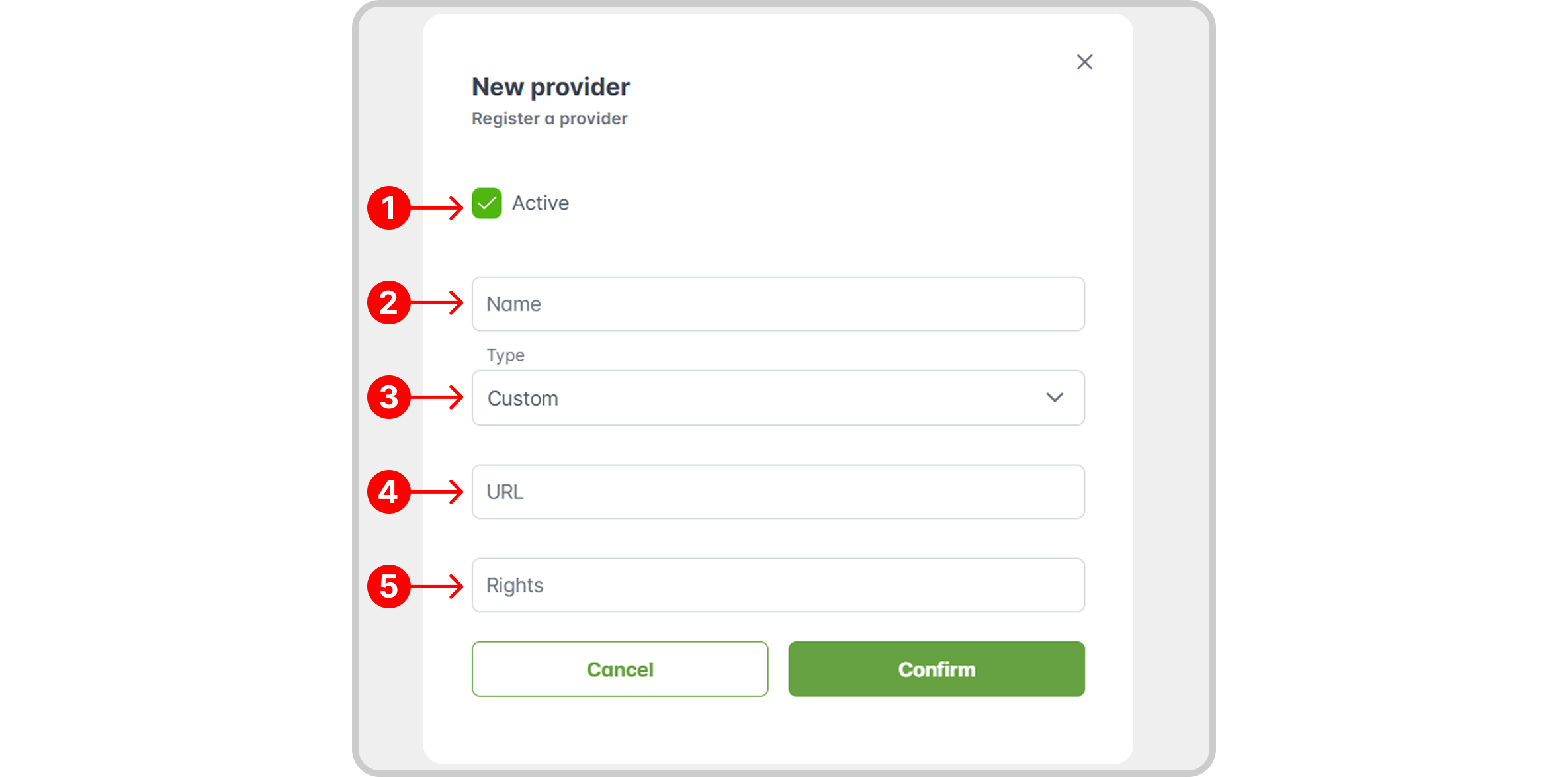
- Activation Status: toggles whether the provider is active or inactive.
- Name: the name of the map provider.
- Type: the category or source of the map data.
- URL: the endpoint address of the map service to be used.
- Rights: copyright or licensing information related to the map provider.
The use of maps and geographic data may be subject to copyright and terms of use defined by the service provider.
It is the sole responsibility of the customer to ensure that they have the necessary licenses, permissions, and authorizations for the use, display, redistribution, and inclusion of the information in the “Rights” field.
Remotatec is not responsible for misuse or violation of third-party rights.
Edit/Delete
To learn how to edit or delete a map provider record, see the Create, Edit, and Delete documentation.
Record History
Discover how to access the record history for a specific provider in the Record History section.
How to Apply
After creating a provider and setting it as active, you can apply the style directly on the Map page. Click on the icon in the lower right corner of the map, in the navigation features, and select the desired provider.

Select your desired map provider to see the change reflected on the map.
Default Map Provider
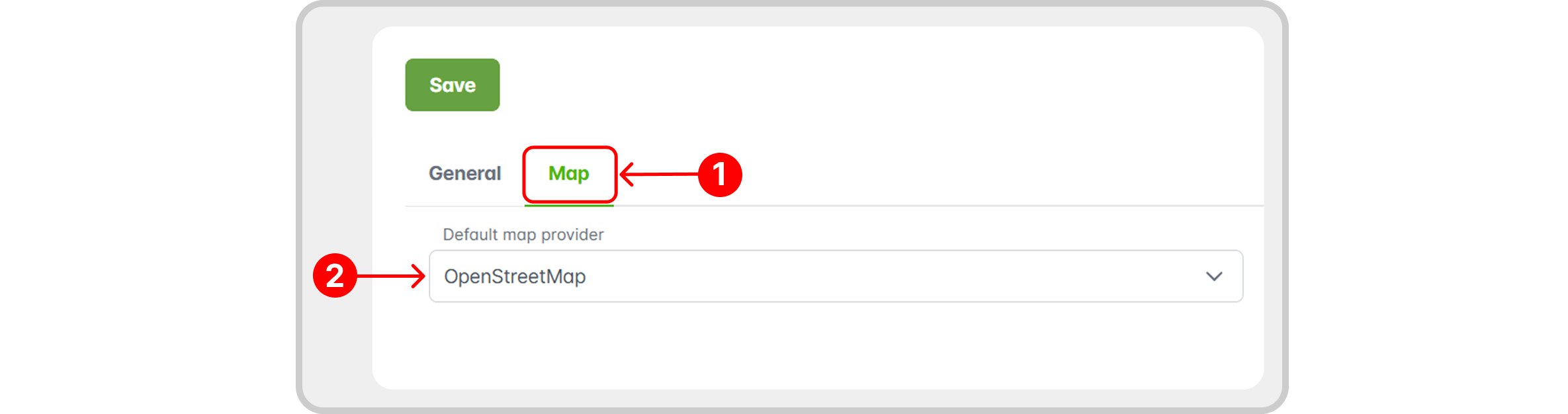
RemotaSafe uses a default style for the map view. To change the Default Map Provider, follow these steps:
- Go to: Settings > General > Map.
- From your list of active maps, select the desired provider in the Default Map Provider field.