Record History
Record History provides a detailed macro view of all changes related to a selected item.
Access
- Go to: Settings > Sidebar >
Desired Context. - Click the
Actionsicon at the end of the row for the item you wish to inspect. - Select the "History" option.

Filters
To apply filters to your search, select the desired criteria and click the Search button located below the filter section on the right.
Date/Time
- Click on the date/time filter: a pop-up tab will open;
- Date: select a start and end date in the designated fields.
- Time: set the start and end times in the fields corresponding to your dates.
Log Type
- Click the "Log Type" filter and select the specific logs you want to see.
- You can use the search bar within the filter to quickly find specific log types.
- You can select multiple log types at once.
User
- Click the "User" filter and select the specific user whose actions you want to track.
- You can search for a user by name to simplify the process.
Downloading Record History
You can export the record history using the Download button, allowing you to save logs for a selected period locally.
How to Download
- On the Download button below the filter section, click the arrow to open the available file formats.
- Select the desired format.
If you are using the XLSX format, you can click directly on the Download button, as this is the default format.
History Example
The following image represents the record history for a specific group.
- A date filter from 01/14/2026 (12:00 AM) to 01/14/2026 (11:59 PM) was applied.
- The log type filter was set to "User Login."
- Click the
Searchbutton to execute. - View the search results below.
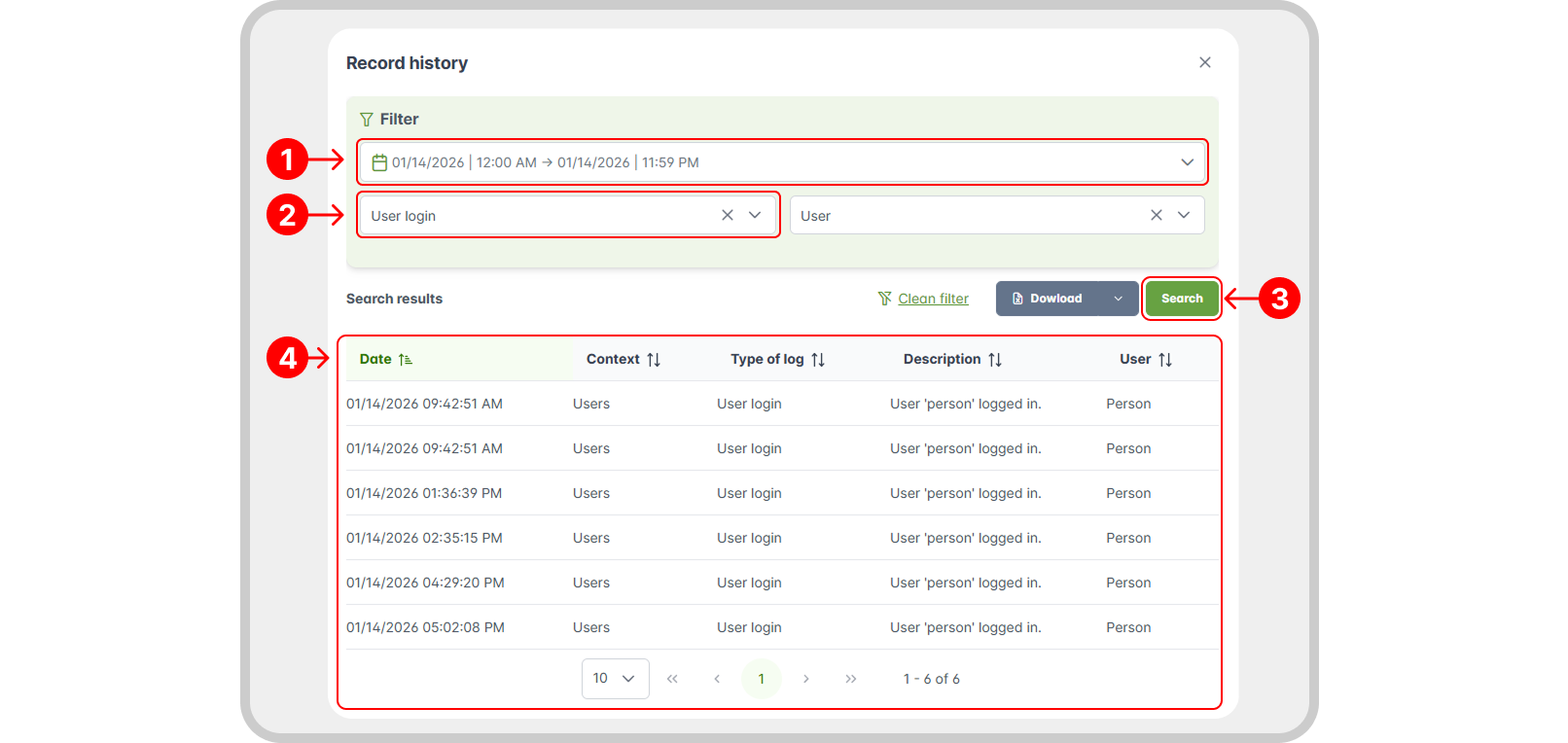
As you can see in the search results, the user “Person” logged into the system several times that day. Additional information is also displayed, such as the context, log type, and description, which is detailed and clear, contributing to the integrity of the log history.