Channels
The channels feature allows you to configure communication channels for device integration, enabling you to exchange information securely and in an organized manner using channels such as MovePTT, developed by Remotatec, MQTT, and Socket. The Channels context can also be used for filtering reports.
How to Access?
To open the channel configuration environment, go to: Settings > Channels.
Create
To learn how to create channels, see the Create, Edit, and Delete documentation.
Registration Properties
- Active: the status of the channel (active or inactive);
- Name: the name of the channel;
- Type: type of communication channel;
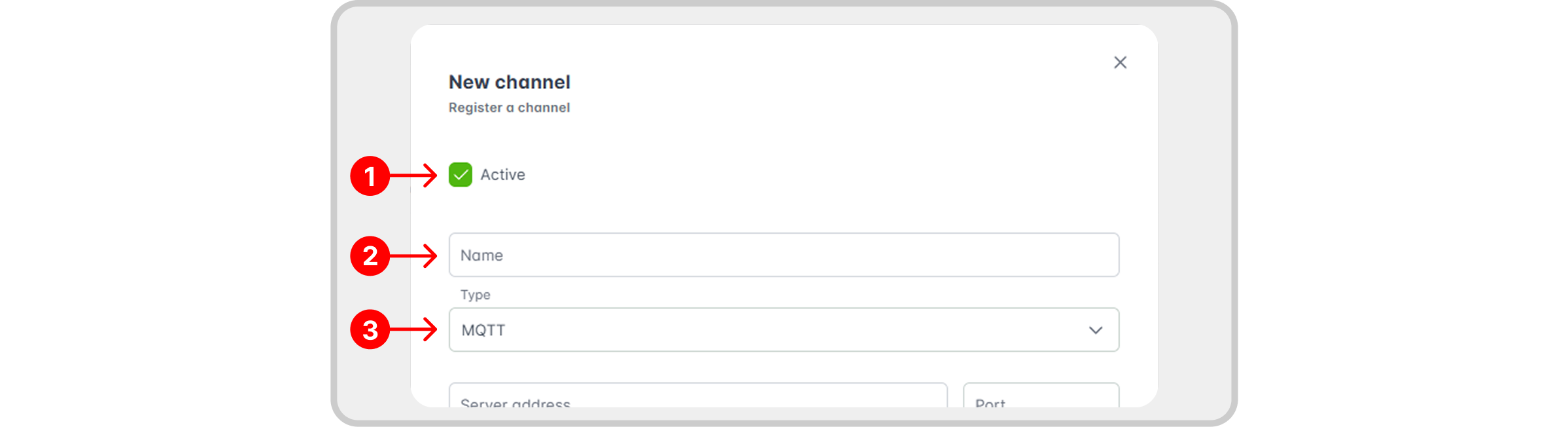
Depending on the chosen type of channel, different fields will be required. Learn about the available types and their fields in the following topic.
Types of Channels
- MQTT
- MovePTT
- Socket
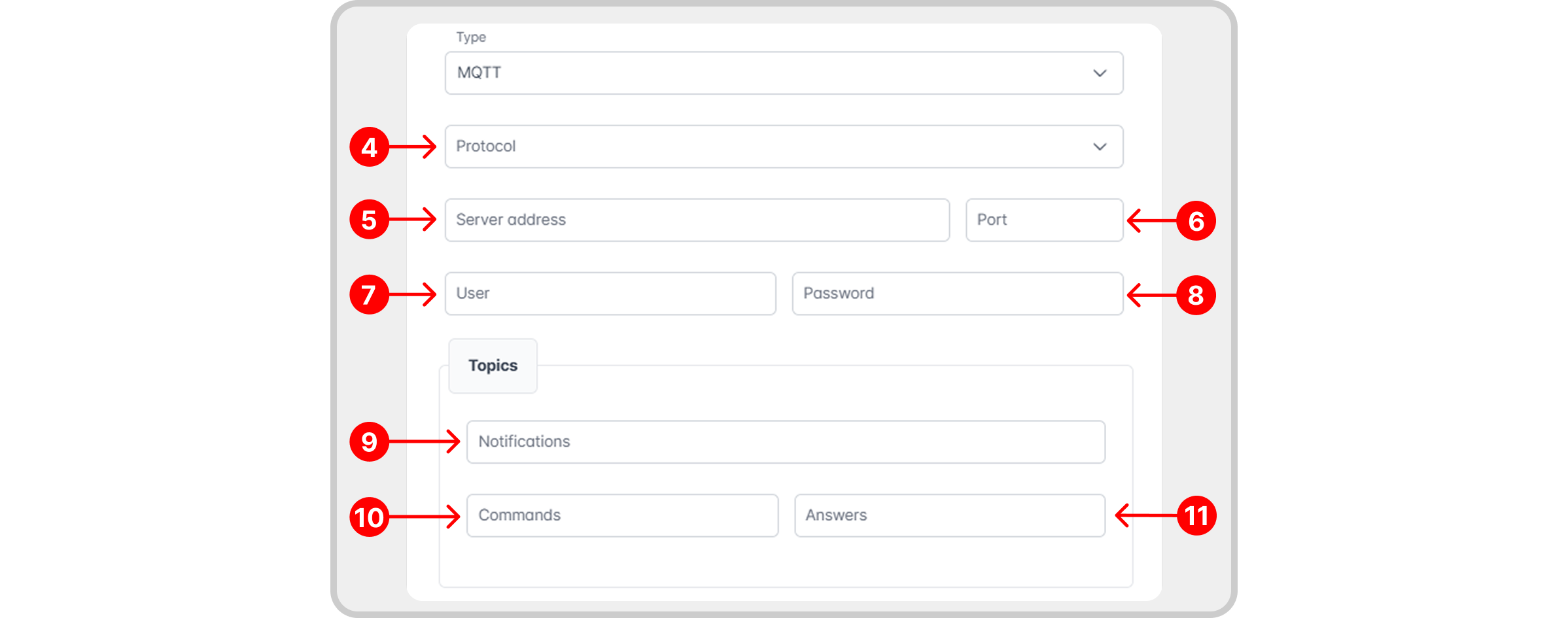
Legend
- Protocol: desired protocol.
- Server Address: IP address or domain where the MQTT broker is hosted.
- Port: communication port used to connect to the broker. The default value is 1883.
- User: username used to authenticate access to the MQTT channel.
- Password: password corresponding to the user.
- Notifications: MQTT topic that the system will subscribe to in order to receive messages or updates.
- Commands: MQTT topic where control/command messages for devices will be published.
- Responses: MQTT topic through which the device/system will respond after executing a command.
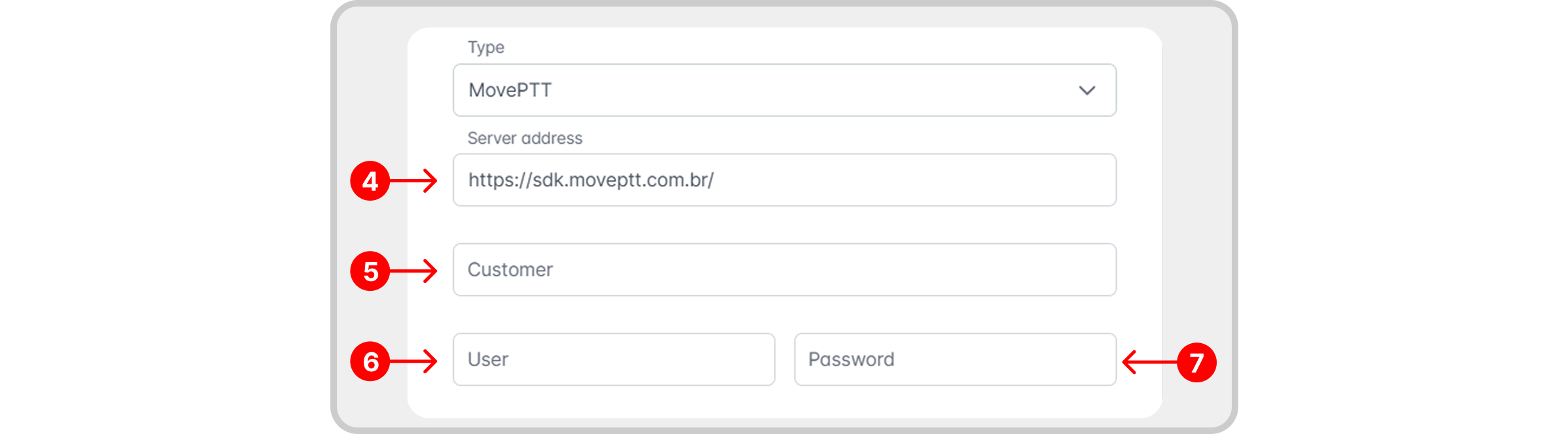
Legend
- Server Address: an IP address or domain name.
- Client: the company accessing the service.
- Username: the username used to authenticate access to the MovePTT channel.
- Password: the password corresponding to the username.
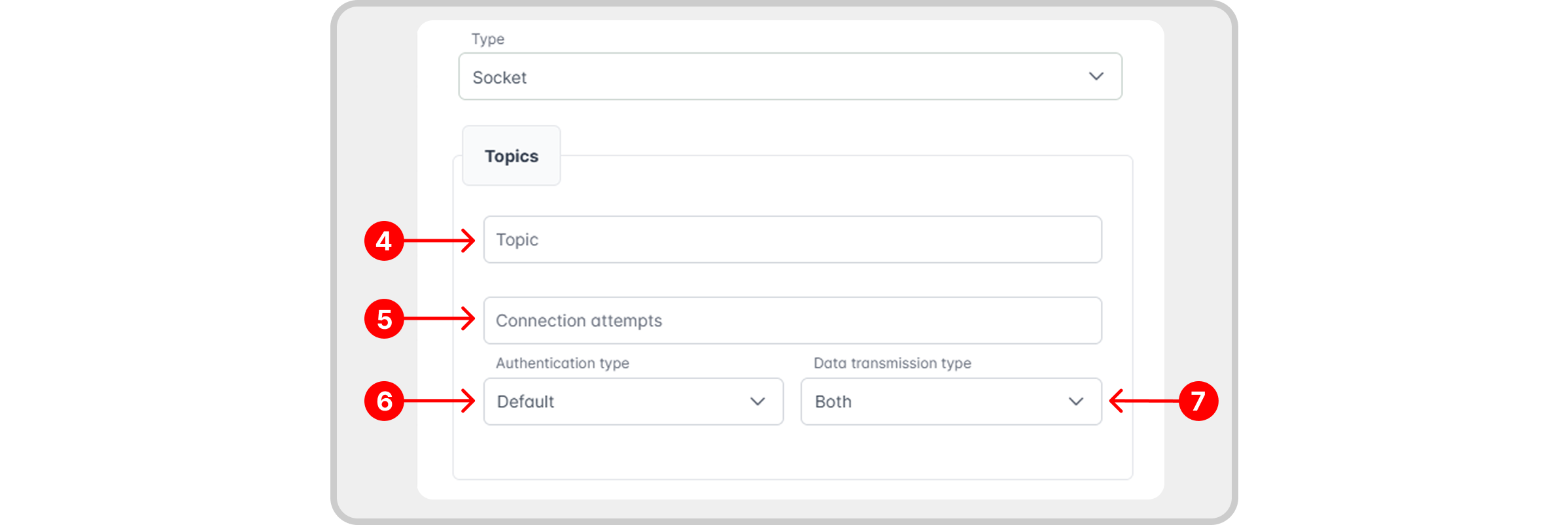
Legend
- Topic: identifies the subject or data flow handled by this channel.
- Connection attempts: defines how many times the system will attempt to reconnect if the connection is lost.
- Authentication type: determines how the system will authenticate when establishing the Socket channel connection.
- Data transmission type: defines the direction of data exchange in the Socket channel.
Authentication type
- Default: WebSocket authentication with the RemotaSafe App, to receive data from the mobile application.
- Integration key (1): generates an integration key in the specified field (2) and a URI (3) that are used to establish connections with external applications. See the fields below:

Perform the connection test to validate communication, authentication, and service availability before using the channel!
Edit/Delete
To learn how to edit or delete a specific channel, see the Create, Edit, and Delete documentation.
Record History
Learn how to access the channel record history and its features in: Record History.