Security
Security mechanisms allow you to define and restrict access levels, ensuring data protection, system integrity, and proper usage of RemotaSafe. These profiles are applied within the Users context. The Security context can also be used for filtering reports.
How to Access?
To open the security settings environment, go to: Settings > Security.
Create
To learn how to create security records, see the Create, Edit, and Delete documentation.
Administrators
The "Administrators" security profile is a system standard. It cannot be deleted and includes all system usage permissions.
Registration Properties
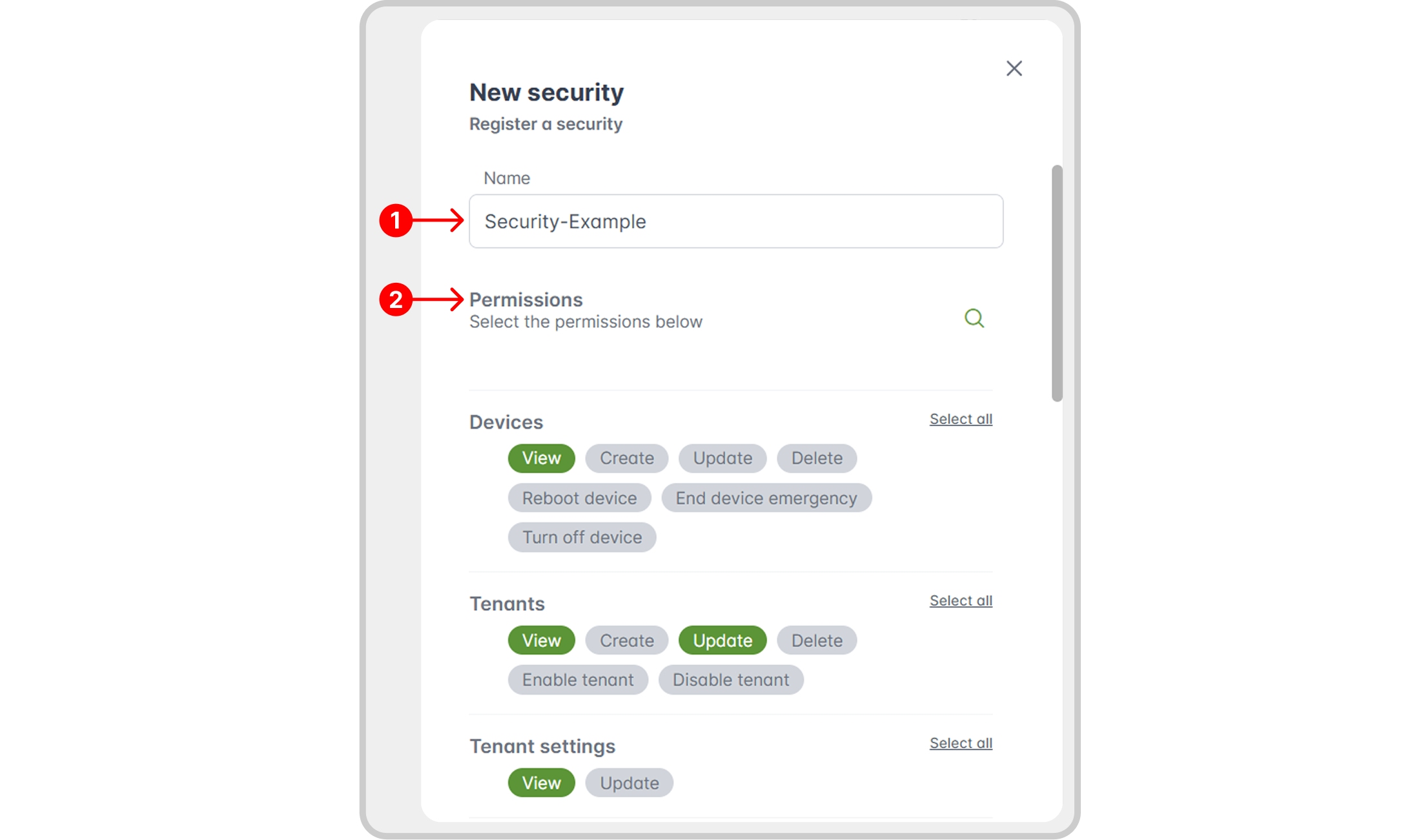
- Name: the name of the security profile.
- Permissions: selection fields that define the access levels for the profile across different system modules.
Edit/Delete
To learn how to edit or delete security records, see the Create, Edit, and Delete documentation.
Record History
Discover how to access record history and its features in the Record History section.
Viewing Enabled Permissions
By clicking the arrow at the beginning of a security record's row, you can see a quick overview of all enabled permissions for that profile.
Examples and Results
In this example, we have a profile named Security-Example. A user assigned this security profile would have the following permissions:
- Permissions Granted:
- View devices.
- View and modify companies.
- View company settings.
- View and delete groups.
After assigning this profile to a user, the corresponding restrictions are applied to their account as shown below:

Results
With company settings enabled, the Settings tab becomes visible:

Only allowed functionalities are active:
- With permissions only to view and change companies:

- With permissions only to view and delete groups:

- Actions that are not permitted (e.g., creating a new device) will have their buttons disabled or hidden:
