Devices
RemotaSafe allows you to register and manage Devices for information exchange, which can be associated with ID badges, radios, vehicles, and more. These records ensure controlled, traceable, and secure communication between devices and the central system.
How to Access?
To open the device configuration environment, go to: Settings > Devices.
Create
You can register an unlimited number of devices, as long as the total number of active devices does not exceed the license limit. To learn how to create devices, see the Create, Edit, and Delete documentation.
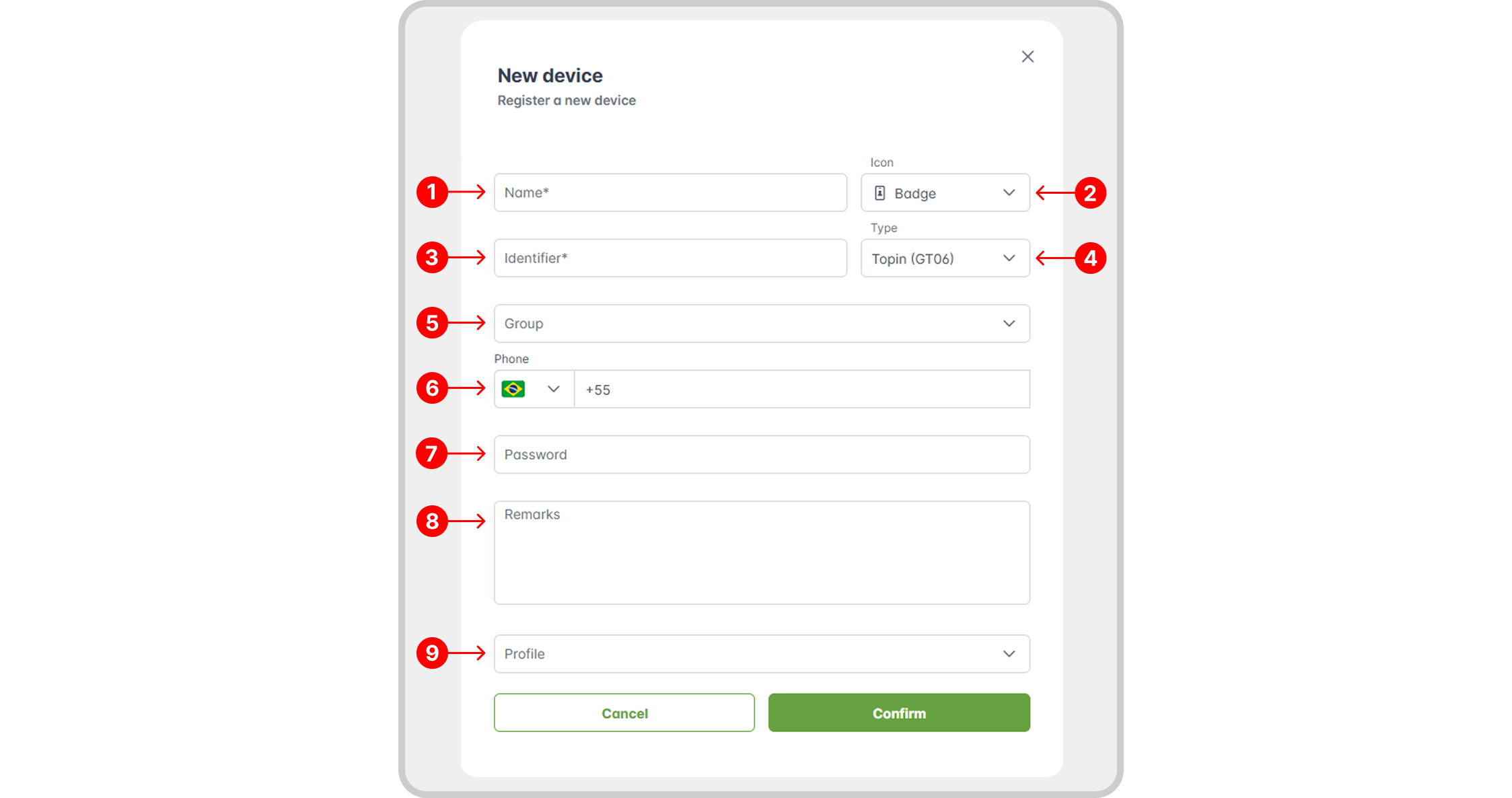
Registration Properties
Mandatory
- Name: the name of the new device;
- Icon: the identification icon for the element;
- Identifier: a unique code that links the physical device to RemotaSafe;
- Type: the communication protocol used;
Optional
- Group: assigns the device to an existing group;
- Phone Number: the number associated with the device's SIM card;
- Password: the password associated with the device;
- Location Priority: defines the priority order for location types;
- Profiles.
Edit/Delete
To learn how to edit or delete a specific device, see the Create, Edit, and Delete documentation.
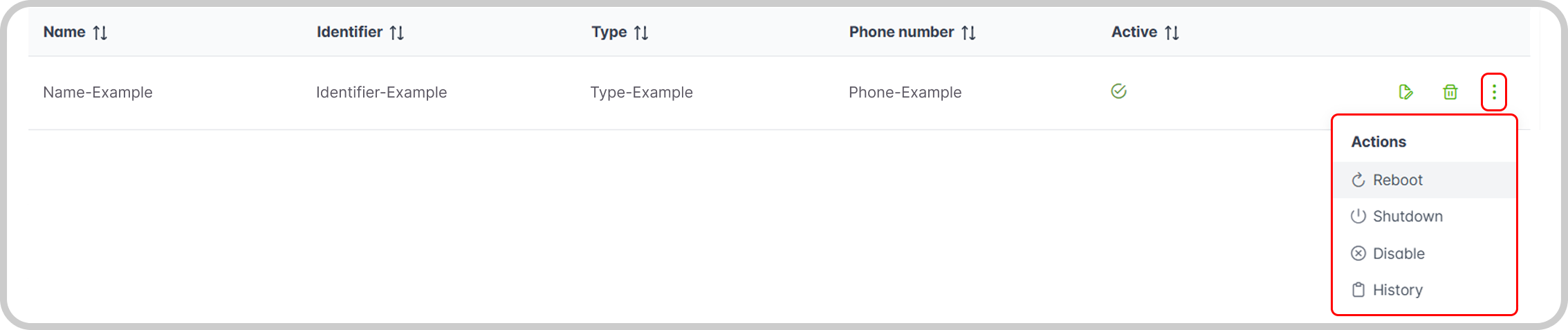
Actions
- Restart: reboots a device;
- Turn Off: powers down a device (available for GT06 and PSS1 types);
- Activate/Deactivate: enables or disables a device;
Record History
Learn how to access device record history and its features in: Record History.