Devices (General)
By accessing the Devices tab within the General settings context, you can define default company settings related to system devices, which are at level 3 in the Device Precedence Order.
Configuration Properties
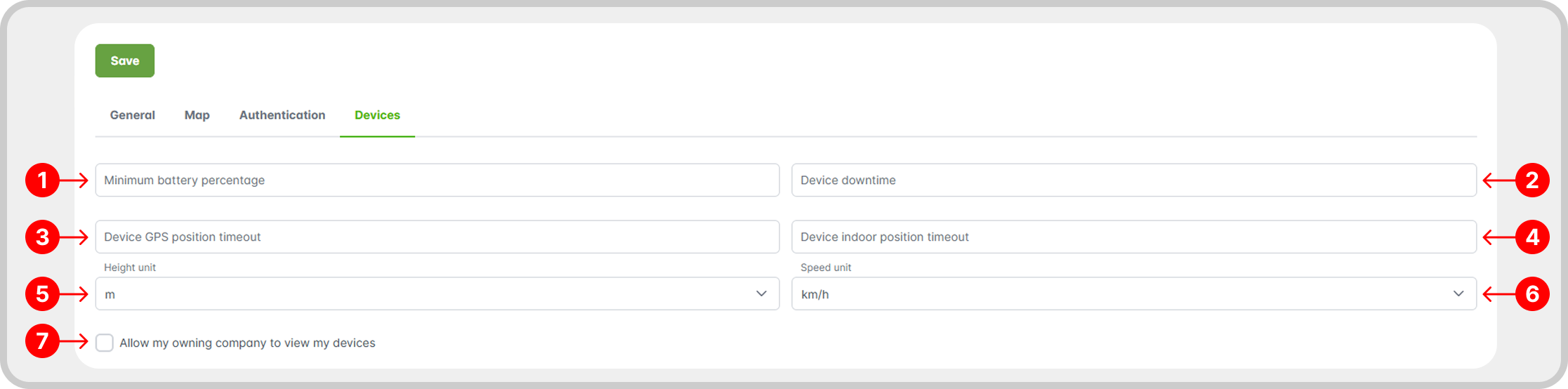
- Minimum battery percentage: value that defines the device's battery level to consider it low battery, used for visual indications on the map and creation of automated notification systems, for example.
- Device downtime: after the set time without receiving data, the device will be considered offline.
- Device GPS position timeout: after the configured timeout without receiving GPS data, the device will be considered No Location.
- Device indoor position timeout: after the specified timeout without receiving data from a beacon in the indoor system, the device will be considered No Location.
- Height unit: height unit used in the system.
- Speed unit: speed unit used in RemotaSafe to display device details and other information.
- Control of the display of registered devices in relation to the owner company.
Example
Below you can see examples related to the device settings described above. For this example, the minimum battery percentage setting was set to 50%, the GPS position timeout is set to 5 minutes, the downtime time to 12 minutes, and the speed unit to km/h. See the images below:
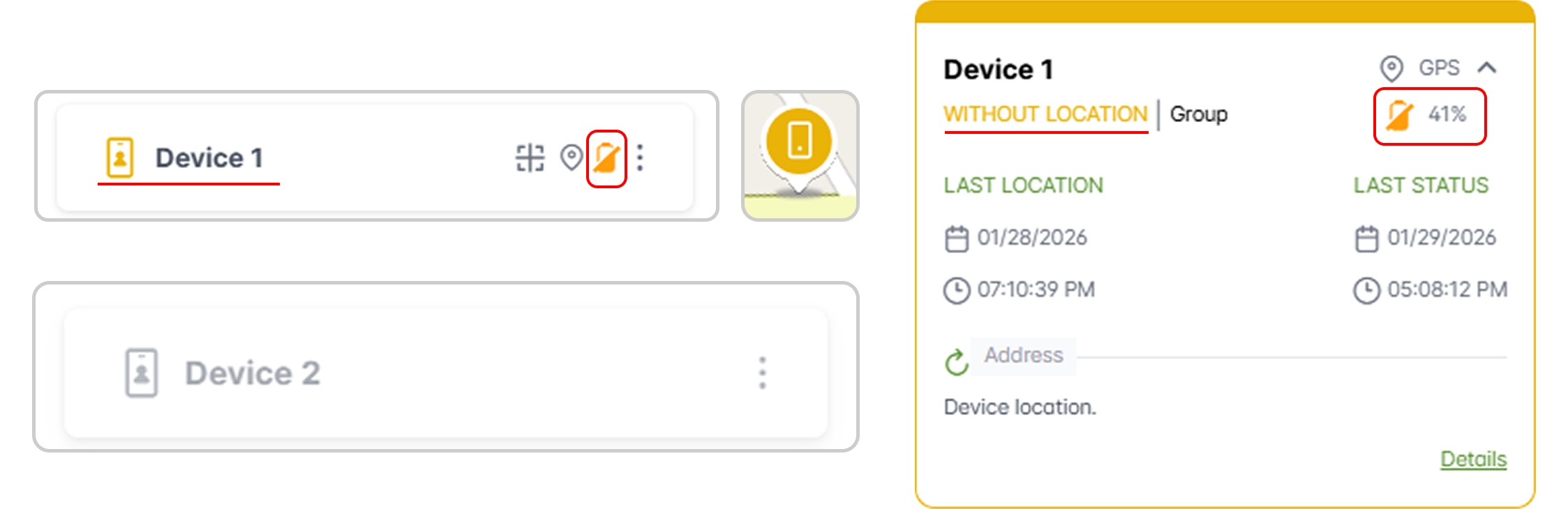
The Device 1 has not sent data for 5 minutes, displaying visual indications that it is Without Location, such as the yellow icon on the side tab of the map, the device icon on the map, and in the details tab. Note that since the device's battery is at 41%, it is now considered to have a low battery, changing its icon.
Furthermore, Device 2 remained inactive for more than 12 minutes, in terms of location, battery, and other aspects. Therefore, it was considered an offline device.