General Map Settings
Within the General settings context, the "Map" tab allows you to define how devices are displayed geographically and configure location priorities to ensure the most accurate positioning possible.
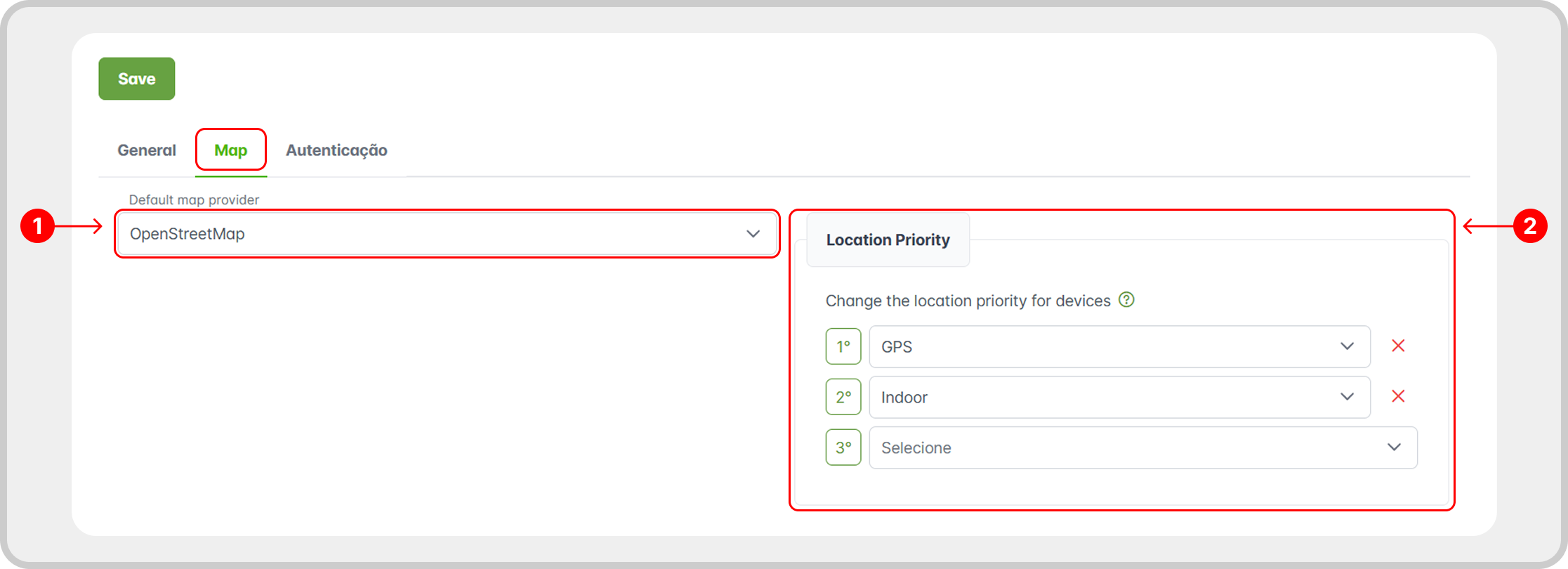
1. Default Map Provider
Defines the default map provider to be used in the interface, based on the registered Providers (OpenStreetMap, Google Maps, etc).
2. Default Location Priority
A company can configure a default Location Priority, applied to all registered devices according to the Device Precedence.
Access this setting in: Settings > General (1) > Map (2).
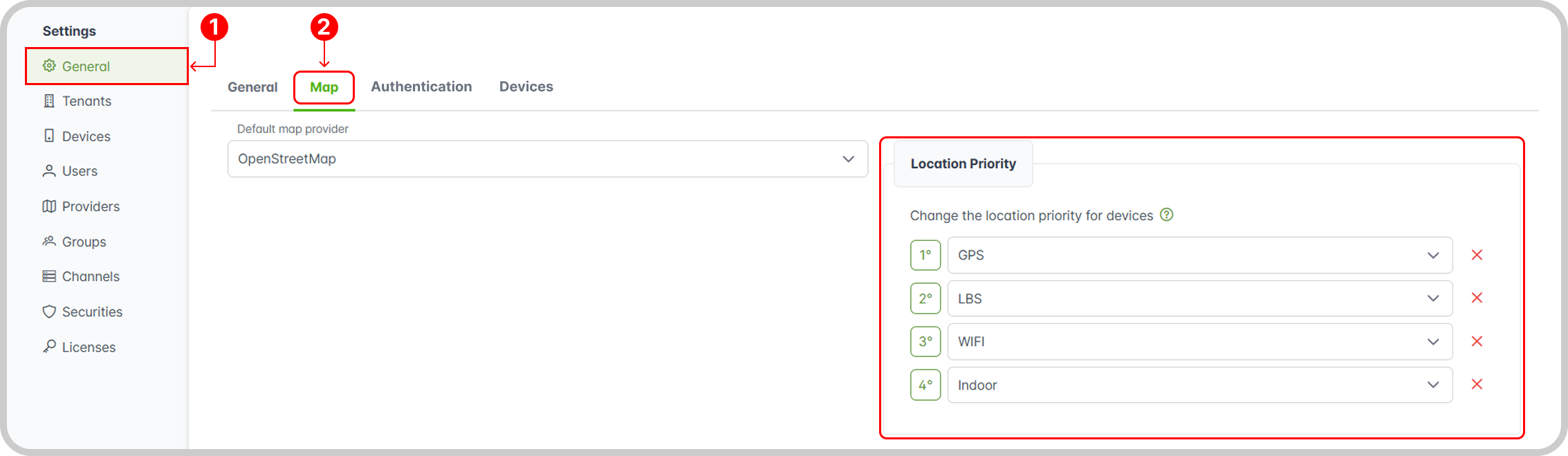
Default Location Priority Order
GPS > LBS > WIFI > Indoor